
1. Open the Voucher Check
Go to the SKU Checker page:
(https://ocportal.ocsports.com.my/tools/sku-checker/lookup)
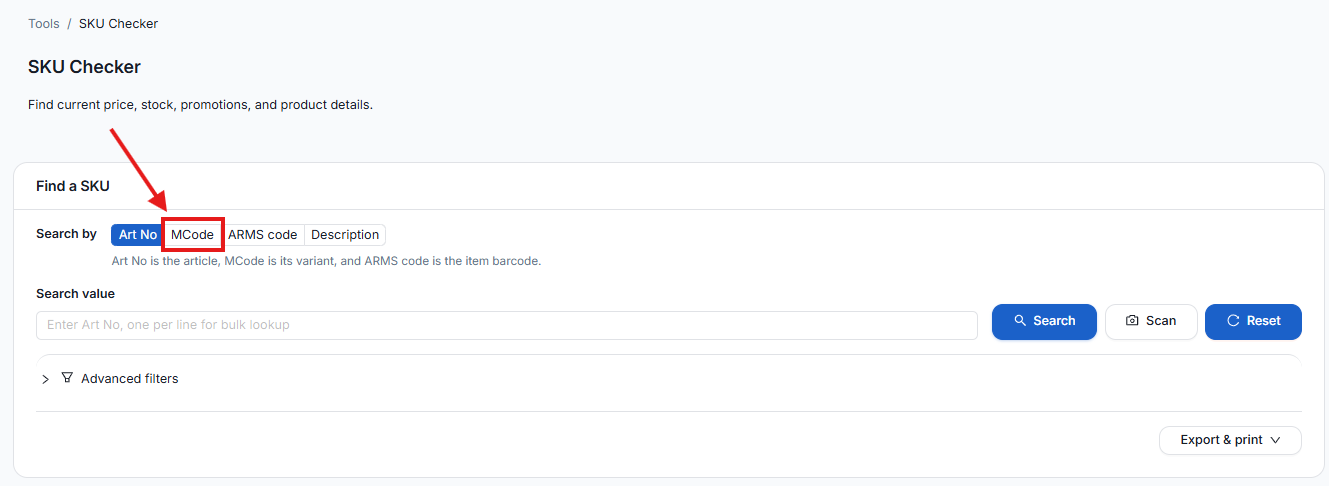
2. Select MCode
Click on the “MCode” button.
3. Search for SKU
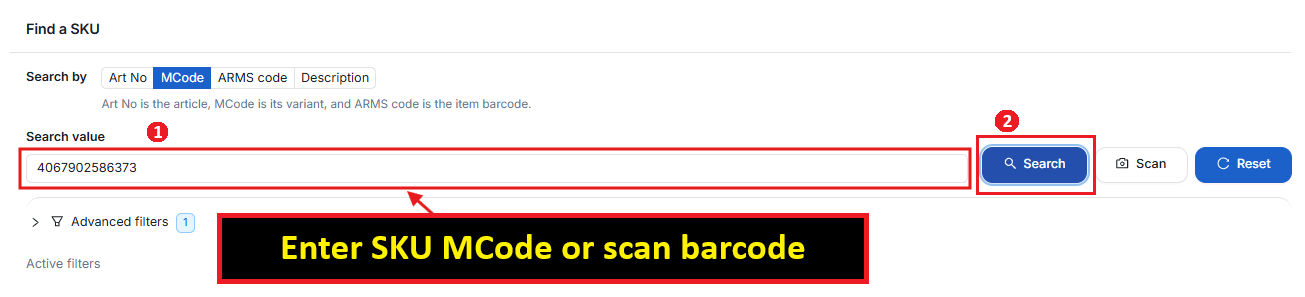
In the search box, enter SKU MCode or scan barcode. Then, click “Search”.
Example: 4067902586373
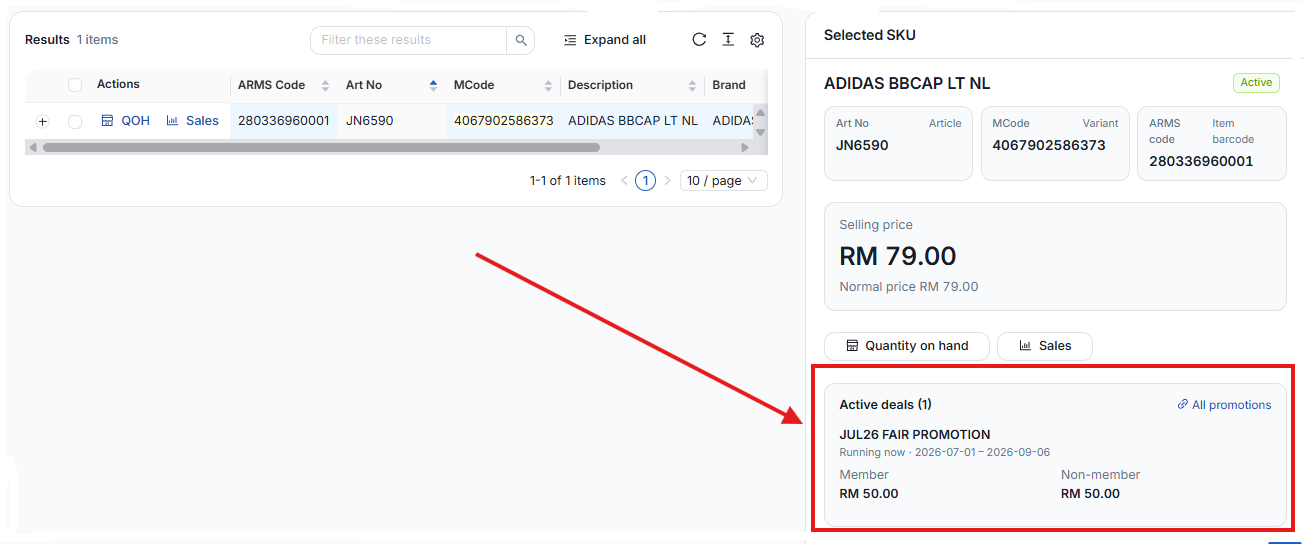
4. View Active Promotions
After searching for SKU, the system will display all active promotions for the selected SKU.
end