
Skip to content
Original Classic Portal
  • Outlet Lists
  • News
  • Employee Directory
  • Stores Locator
  • KnowledgeBase
  • IT FormsExpand
    • IT Equipment Checkout
    • Outlet IT Assets Handover Form
Original Classic Portal
Popular Search closinghow topromotionhowcancel

POS System

  • How to Delete Goods Receiving Record (GRR) in ARMS?
  • How to Cancel Goods Receiving Note (GRN) in ARMS?
  • How to Exclude Items from Promotions in ARMS POS?
  • How To Cancel Bill in ARMS POS?
  • How To Reprint Transaction and Settlement?
  • How to Redeem Voucher in ARMS POS?
  • How to Redeem Coupon in ARMS POS?
  • How To Force Close and Restart ARMS POS When Not Responding?
  • How to Create a Temporary SKU in ARMS POS?
  • Atome BNPL Payment
  • How to Unlock ARMS POS?
  • How to login ARMS POS System?
  • How to logout from POS System?
  • How to cash in (float money) into POS system?
  • How to issue receipt/invoice? (without promotion item)
  • How to issue receipt/invoice for bundle promotion?
  • How to perform Item Discount?
  • Reprint Receipt
  • Why I unable to refresh (F5 key) the POS system screen?
  • How to delete item/SKU in POS system Screen?
  • How to Prune Receipt?
  • How to perform Goods Return (Exchange)?

Inventory

  • How To Perform Goods Receiving with Delivery Order (DO)? (Stock In)
  • How To Perform Goods Receiving with Purchase Order (PO)? (Stock In)
  • How To Perform Delivery Order (DO) Transfer? (Stock Transfer)
  • How To Perform Delivery Order Checkout?

Account

  • Atome BNPL Payment

OC Membership

  • How To Redeem a Coupon from OC Membership
  • How To Issue Receipt with OC Membership
  • OC Membership – Register as new member

Ticketing System

  • OC Helpdesk User Guideline (Ticket Submission)

Microsoft

  • How to Book a Meeting Room in Microsoft Outlook
  • Microsoft Teams Communication
  • How to Create a Team and Channel in Microsoft Teams
View Categories
  • Home
  • KnowledgeBase
  • POS System
  • How to Cancel Goods Receiving Note (GRN) in ARMS?

How to Cancel Goods Receiving Note (GRN) in ARMS?

Notes:

  • This guide explains the steps to reject (cancel) a submitted Goods Receiving Note (GRN) in the ARMS system.
  • Only cancel the GRN if the items are incorrect, not received, duplicated, or keyed in by mistake.
  • Once rejected, the system will automatically reverse the stock from inventory.
  • Always inform HQ Warehouse Receiving team if the GRN relates to a confirmed PO/DO delivery.

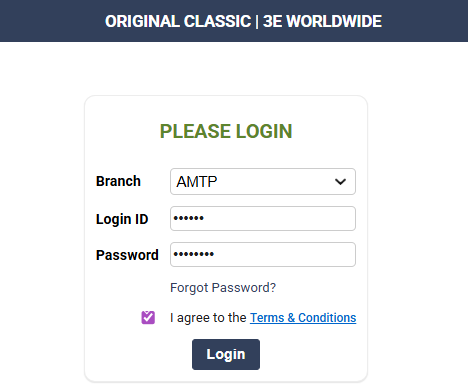
1. Log in to ARMS using your ID and Branch. (https://pos.ocsports.com.my)

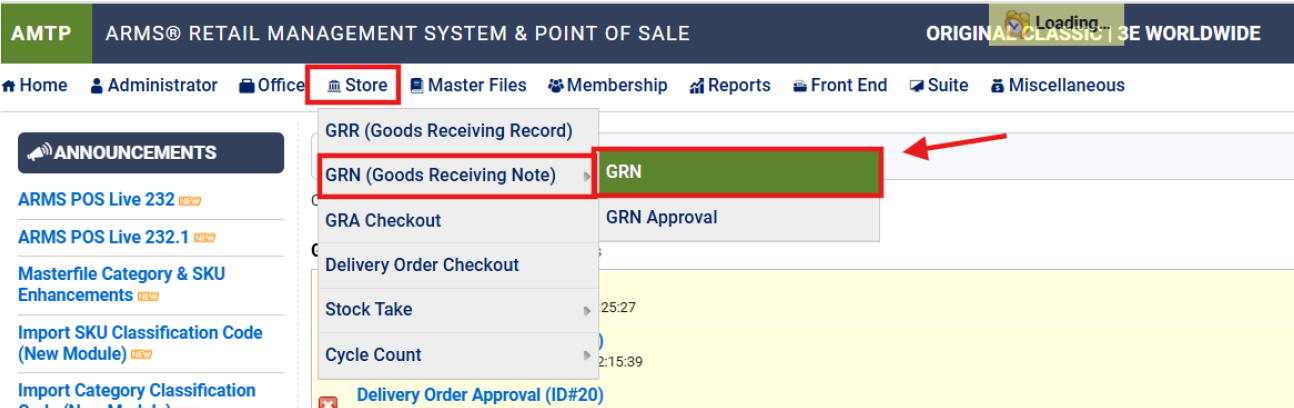
2. Go to Store > GRN (Goods Receiving Note) > GRN

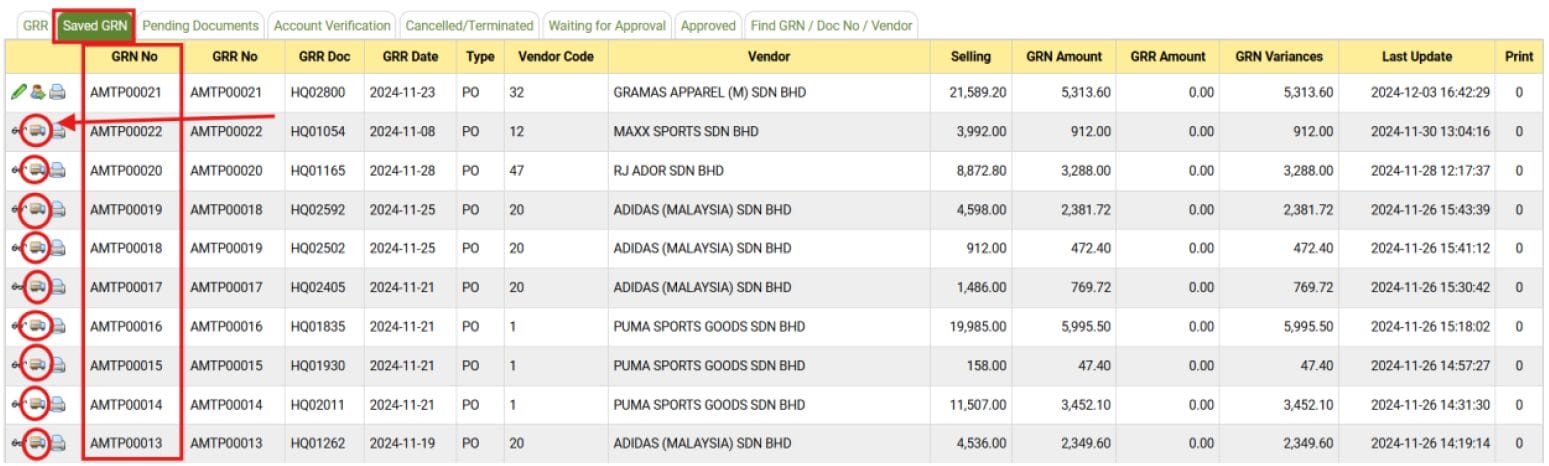
3. Find the GRN that needs to be cancalled, click on the lorry icon (SKU Manage) to edit

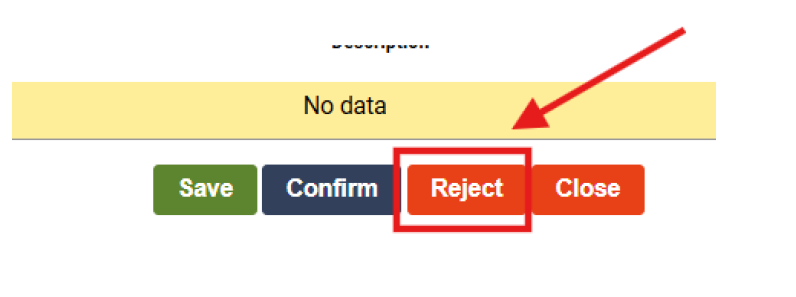
4. Scroll to the bottom of the page, click on Reject

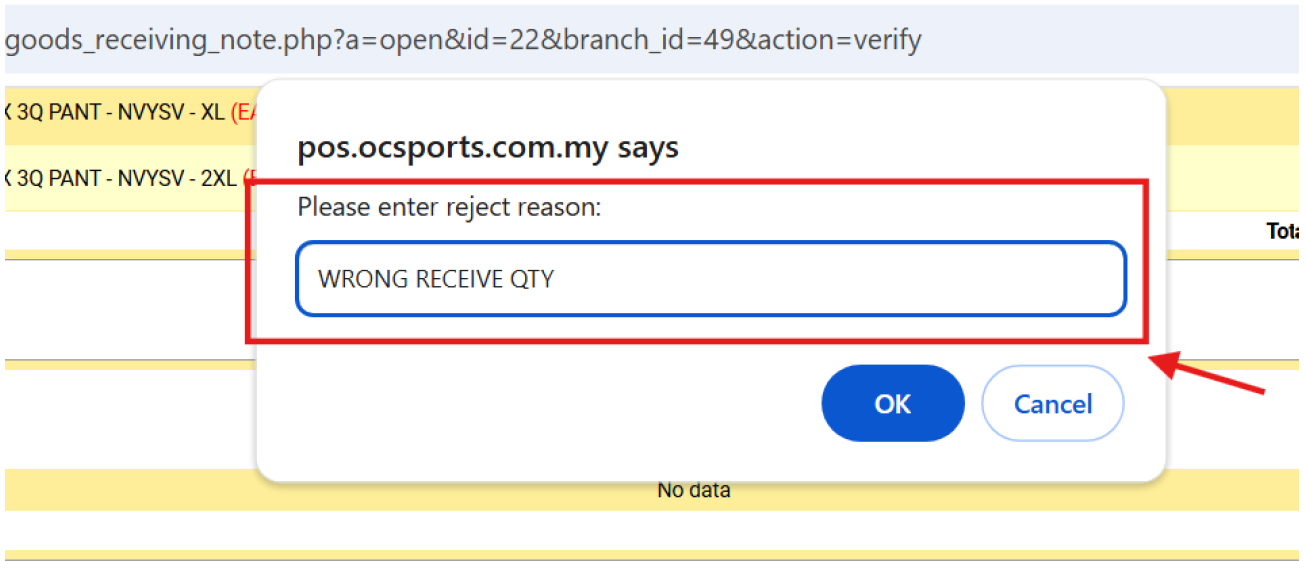
5. Enter the reject reason, click OK to confirm

end

Updated on 26/02/2026
How to Delete Goods Receiving Record (GRR) in ARMS?How to Exclude Items from Promotions in ARMS POS?
  • Outlet Lists
  • News
  • Employee Directory
  • Stores Locator
  • KnowledgeBase
  • IT Forms

© 2026 Original Classic Portal

Scroll to top
  • Outlet Lists
  • News
  • Employee Directory
  • Stores Locator
  • KnowledgeBase
  • IT Forms
    • IT Equipment Checkout
    • Outlet IT Assets Handover Form