
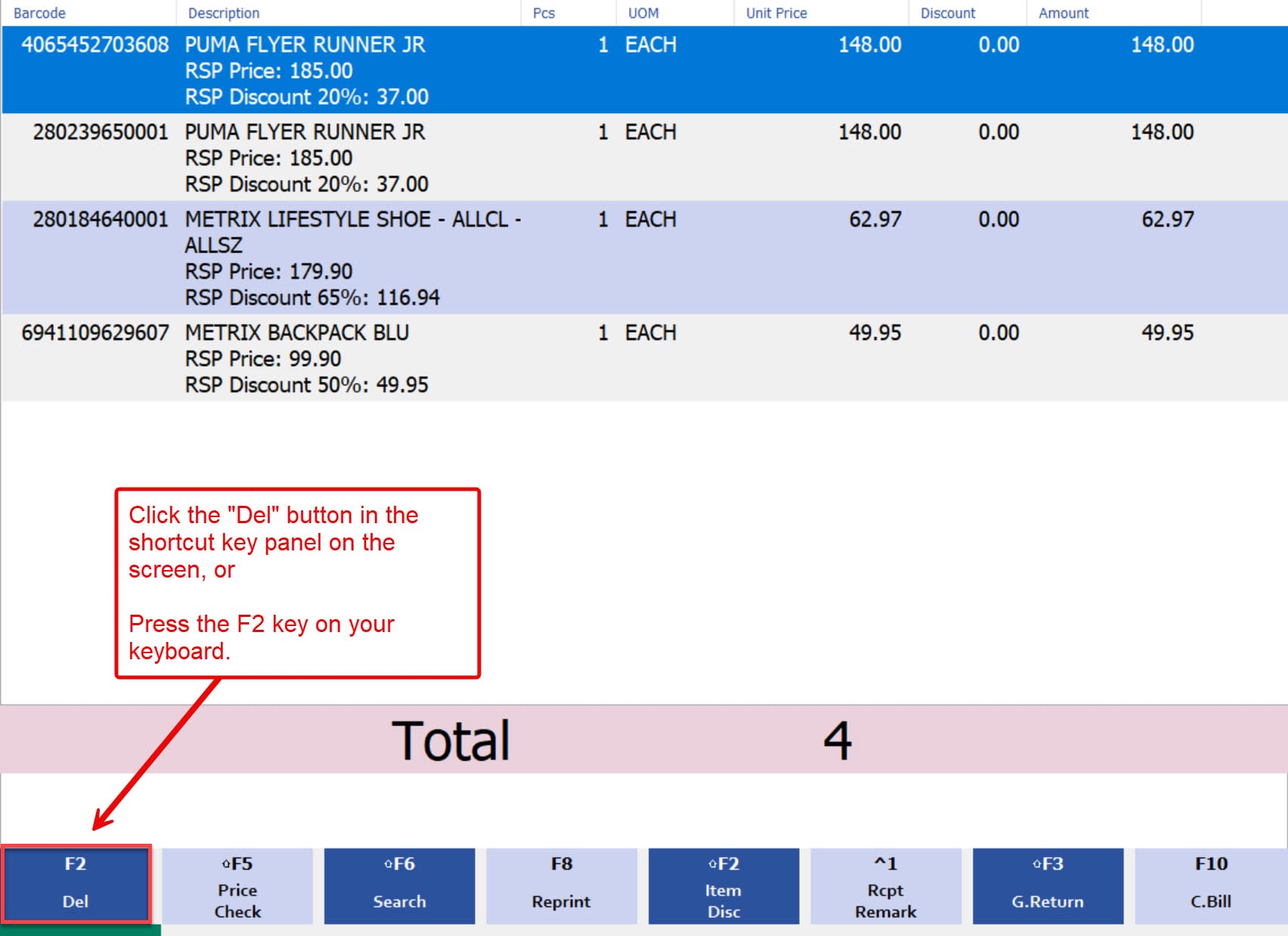
1. To remove or delete item in the POS system, you can either:
- Click the “Del” button in the shortcut key panel on the screen, or
- Press the F2 key on your keyboard.
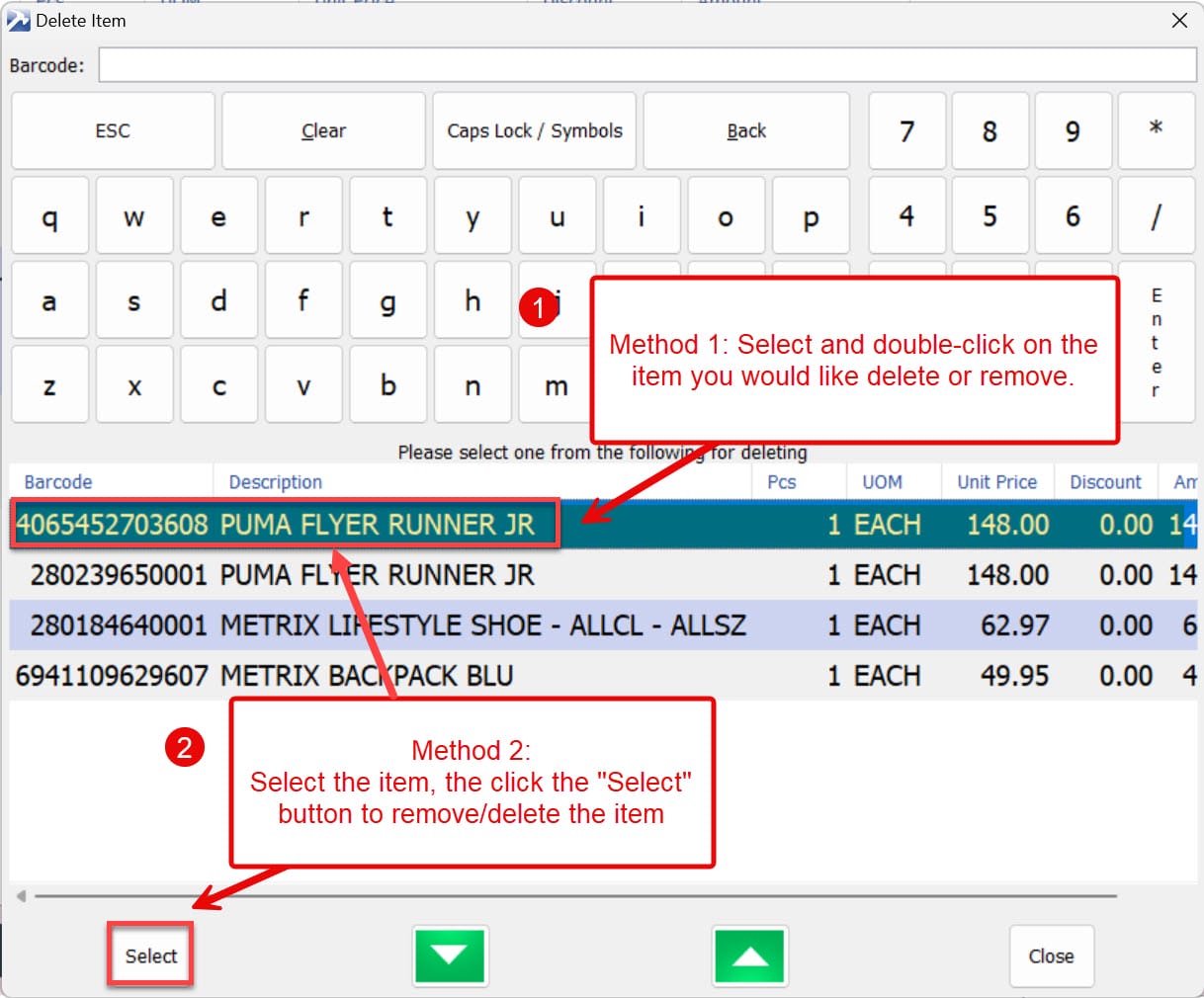
2. When the Delete Item window appears, you can remove or delete an item using either of these methods:
- Double-click on the item you want to delete or remove.
- Alternatively, select the item you wish to delete or remove, then click the “Select” button to proceed.
end