
Important Notes:
Before checking voucher codes, please ensure the following:
- You know the branch code or voucher batch name that you want to search for.
- Use the search function to locate the correct voucher batch.
- Only vouchers from an Active batch can be used.
- Voucher batches with Cancelled or Expired status are no longer valid.
- Make sure you select the correct voucher batch before reviewing the voucher codes.
1. Open the Voucher Check
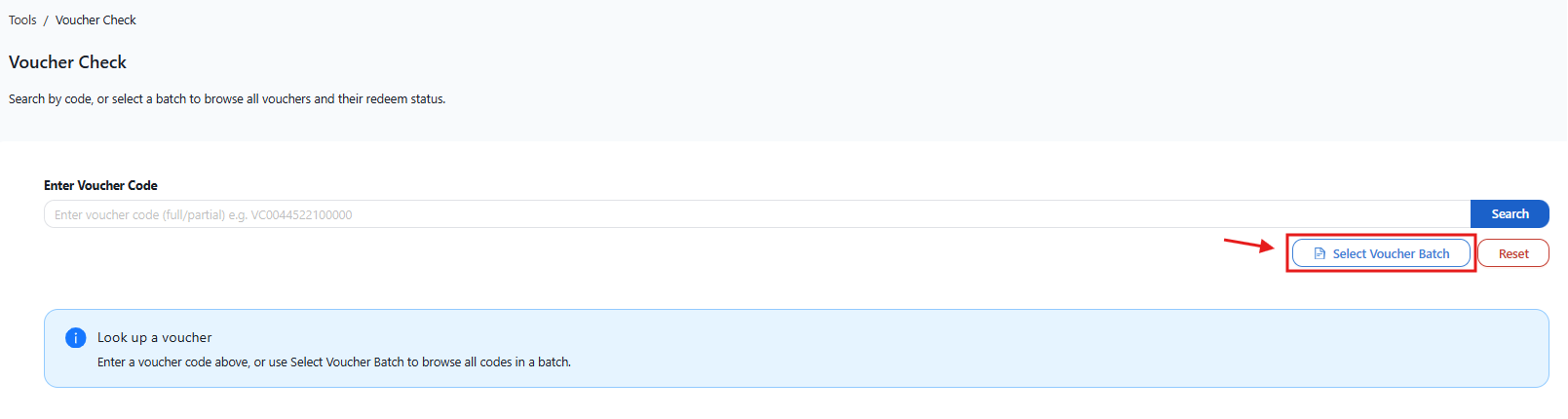
Go to the Voucher Check page:
(https://ocportal.ocsports.com.my/tools/voucher-checker)
2. Select Voucher Batch
Click on the “Select Voucher Batch” button.
3. Search for Your Batch Voucher
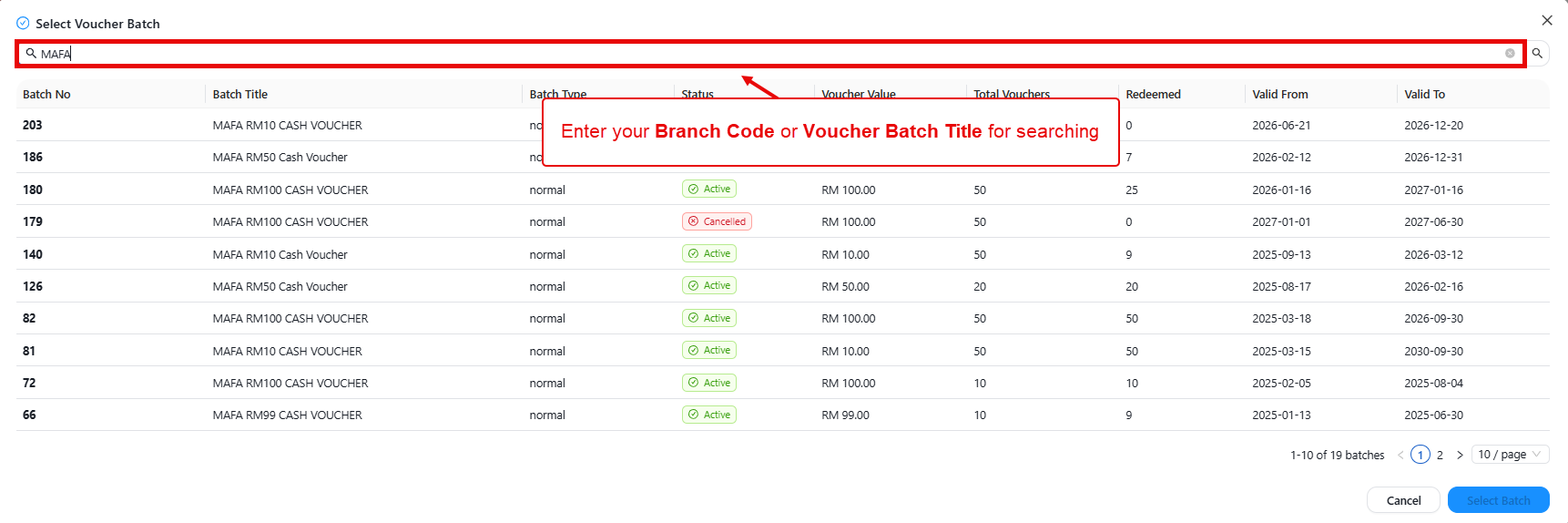
In the search box, enter your branch code or branch name.
Example: MAFA
The system will display the available voucher batches matching your search.
Voucher Batch Status:
- Active – The voucher batch is active and vouchers can still be used.
- Cancelled – The voucher batch has been cancelled and vouchers can no longer be used.
- Expired – The voucher batch has expired and vouchers are no longer valid.
4. Select the Voucher Batch
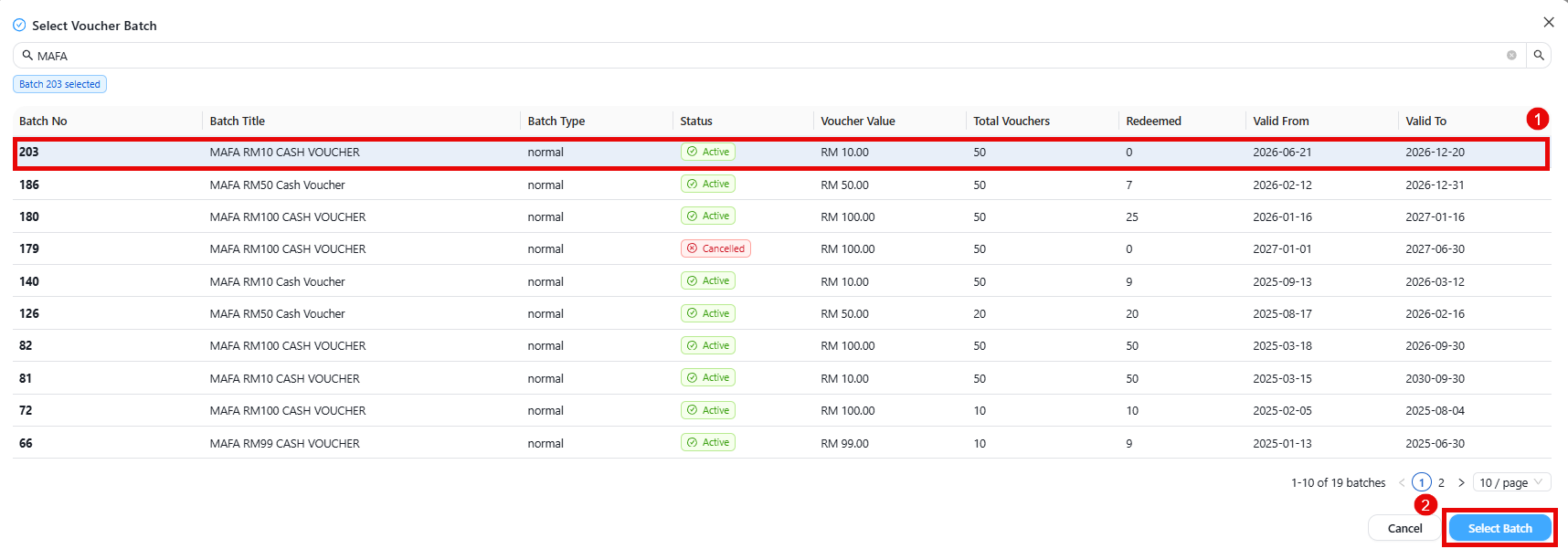
Choose the required voucher batch from the list and click “Select Batch”.
5. View Available Voucher Codes
After selecting the voucher batch, the system will display all voucher codes within the selected batch together with their redemption status.
Voucher Redemption Status:
- Not Redeemed – The voucher code has not been used.
- Redeemed – The voucher code has already been used.
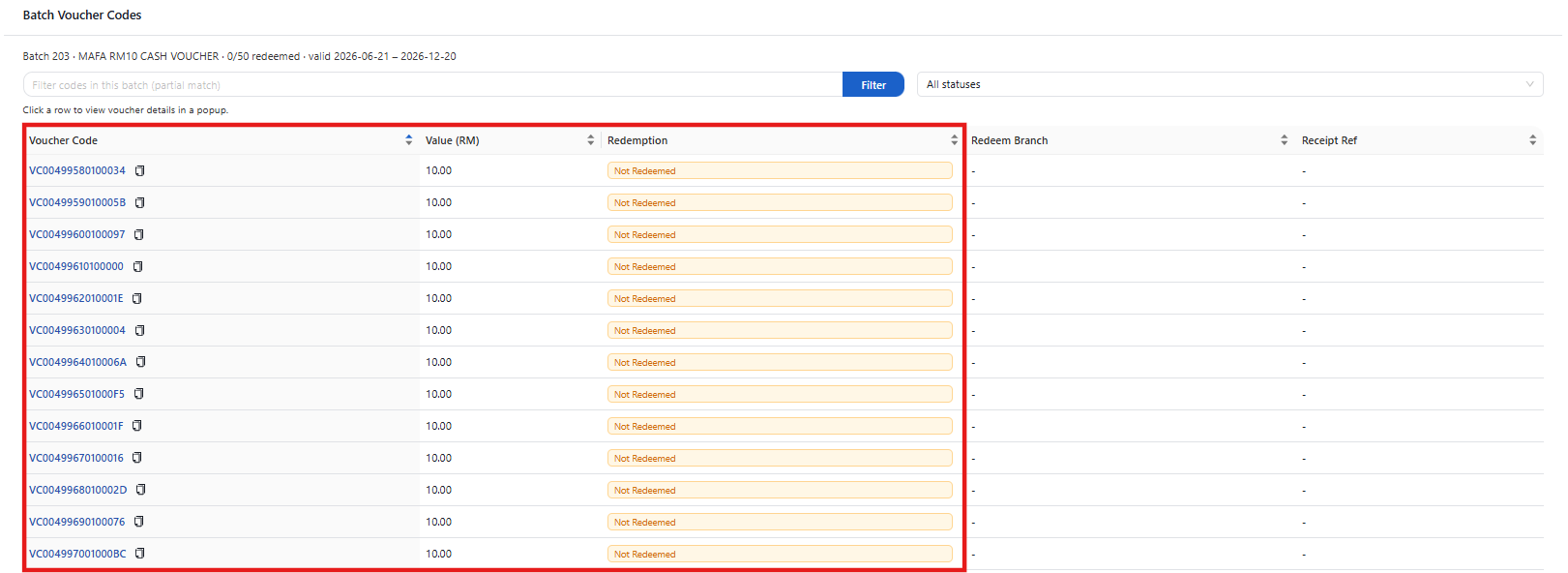
⚠️ Note: Only voucher codes with Not Redeemed status are available for customer use.
end