
Goods receiving is a critical process when an outlet receives a Delivery Order (DO) or Purchase Order (PO).
Staff are responsible for checking the items and verifying the quantities during the goods receiving process.
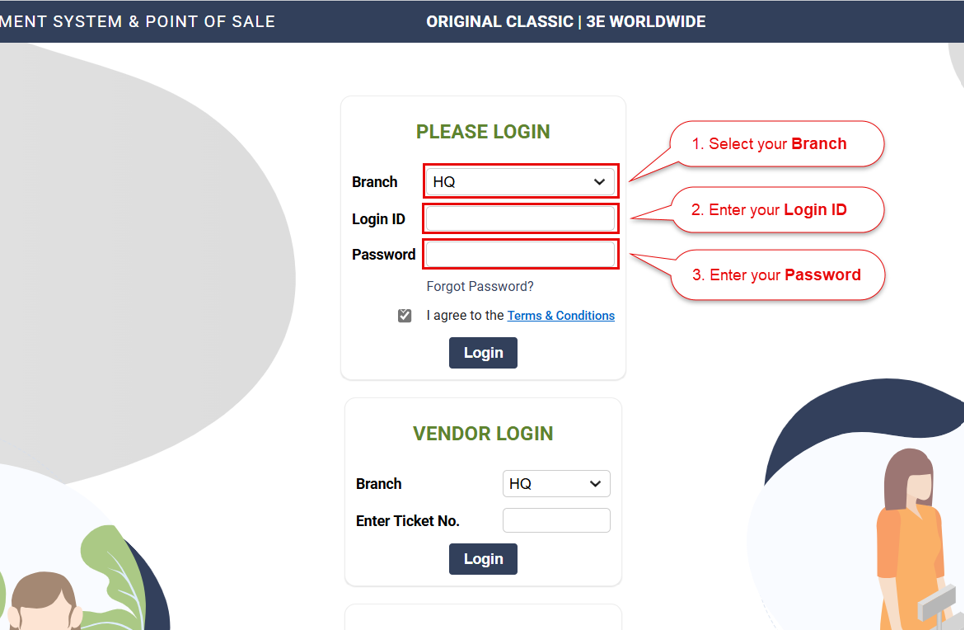
1. Login into the ARMS backend portal (https://pos.ocsports.com.my)
>Select Branch > Enter Login ID and Password
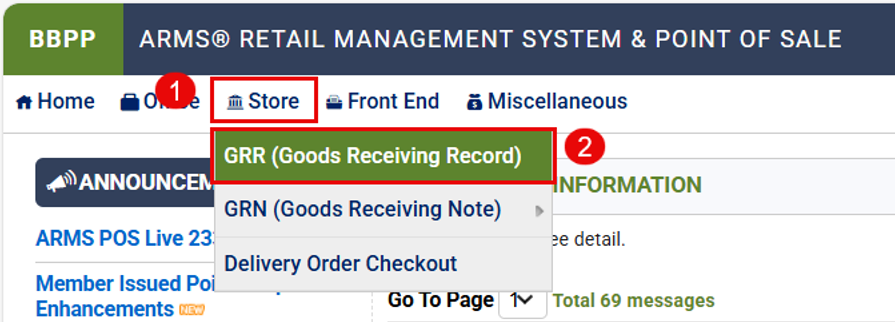
2. Then go to Store > GRR
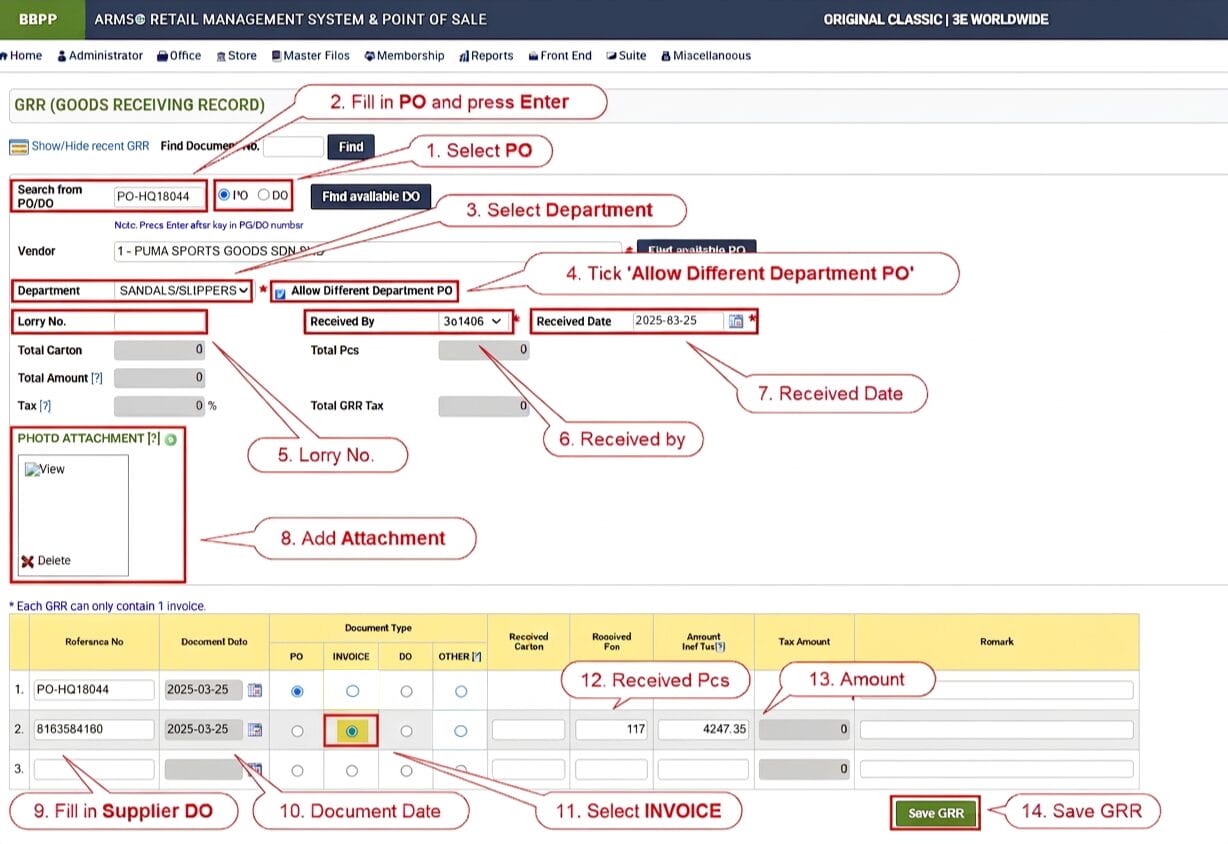
3. Fill in accordingly
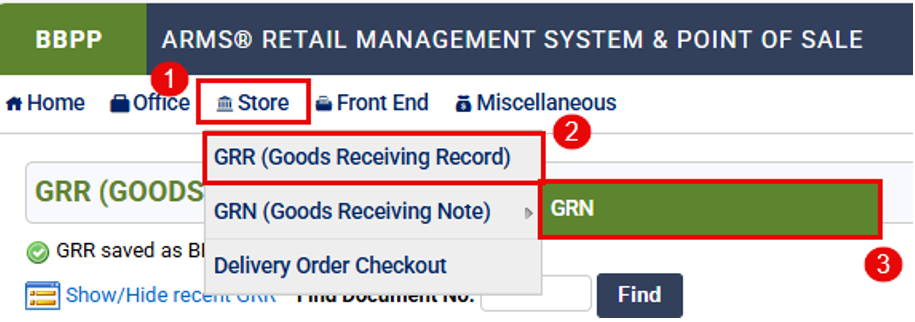
4. Go to Store > GRN (Goods Receiving Note) > GRN.
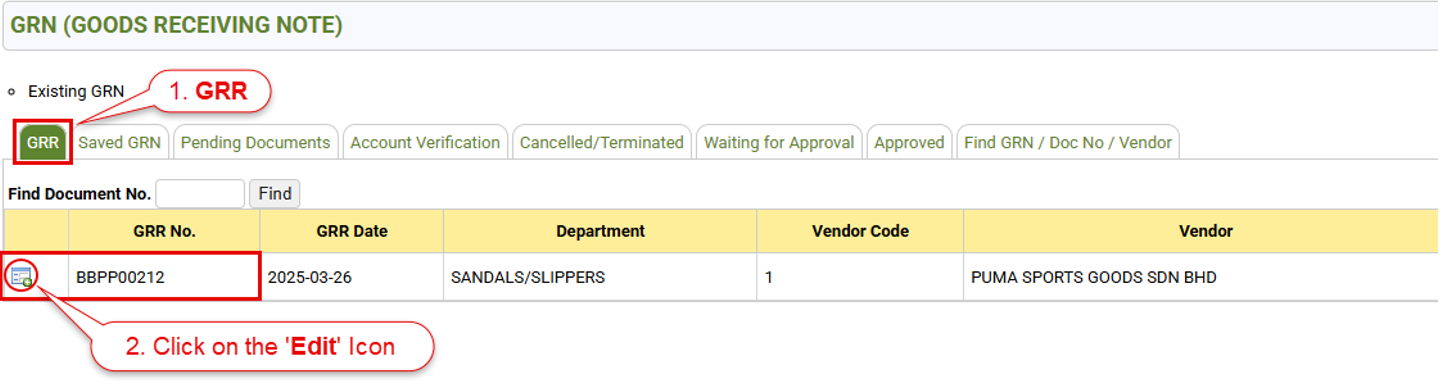
5. Go to GRR and click on the ‘Edit’ icon to open
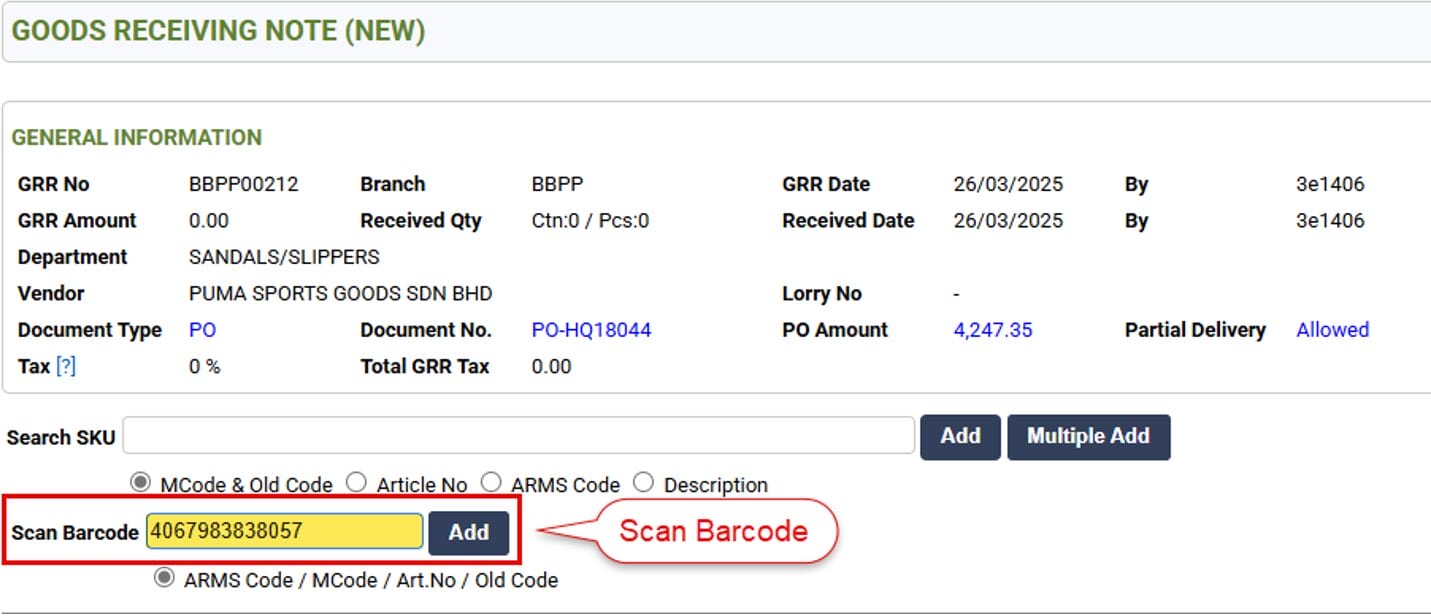
6. Scan Barcode
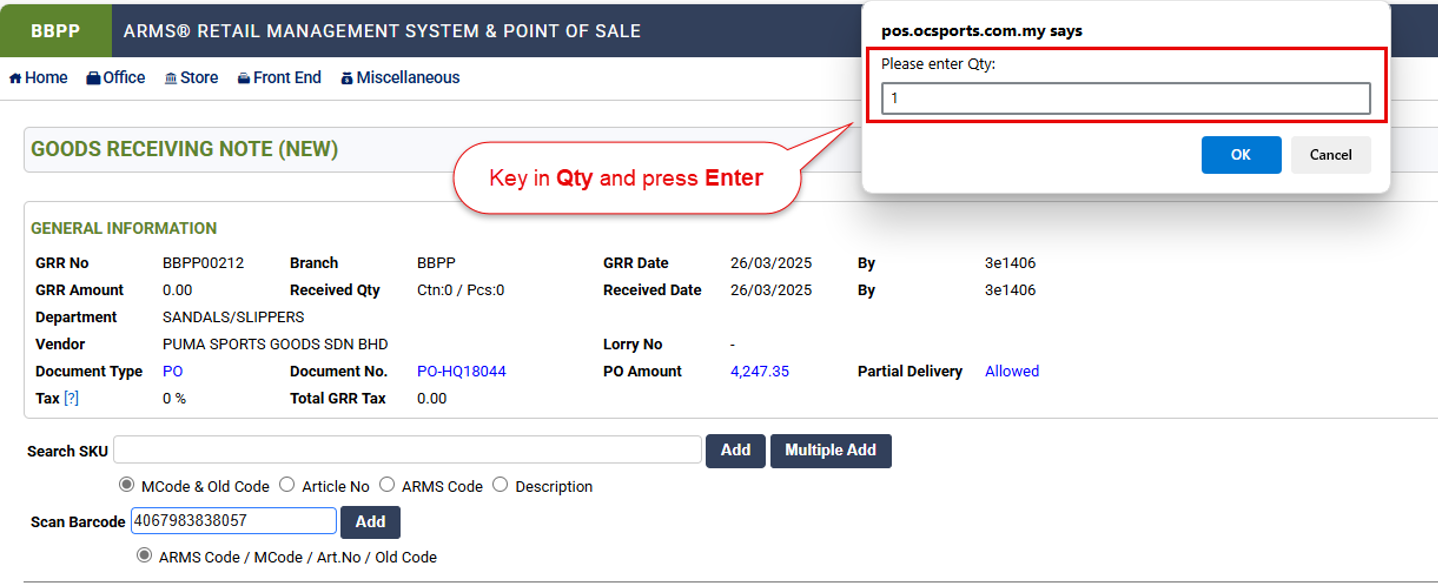
7. Fill in Quantity and press Enter
8. Confirm to submit GRN
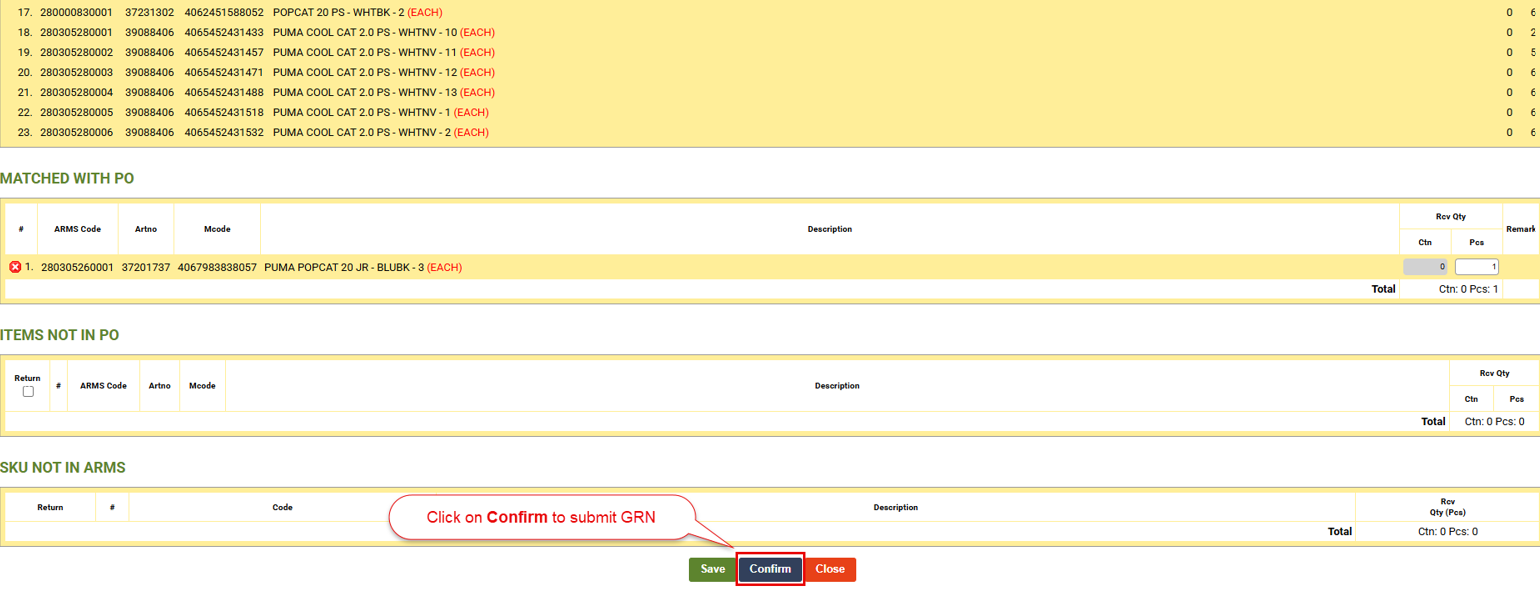
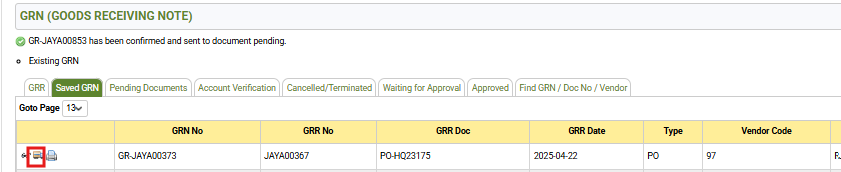
9. After submitting the GRN, you can find it under the ‘Saved GRN’ tab

Step 10: Go to SAVED GRN Tab; Click on Lorry Icon
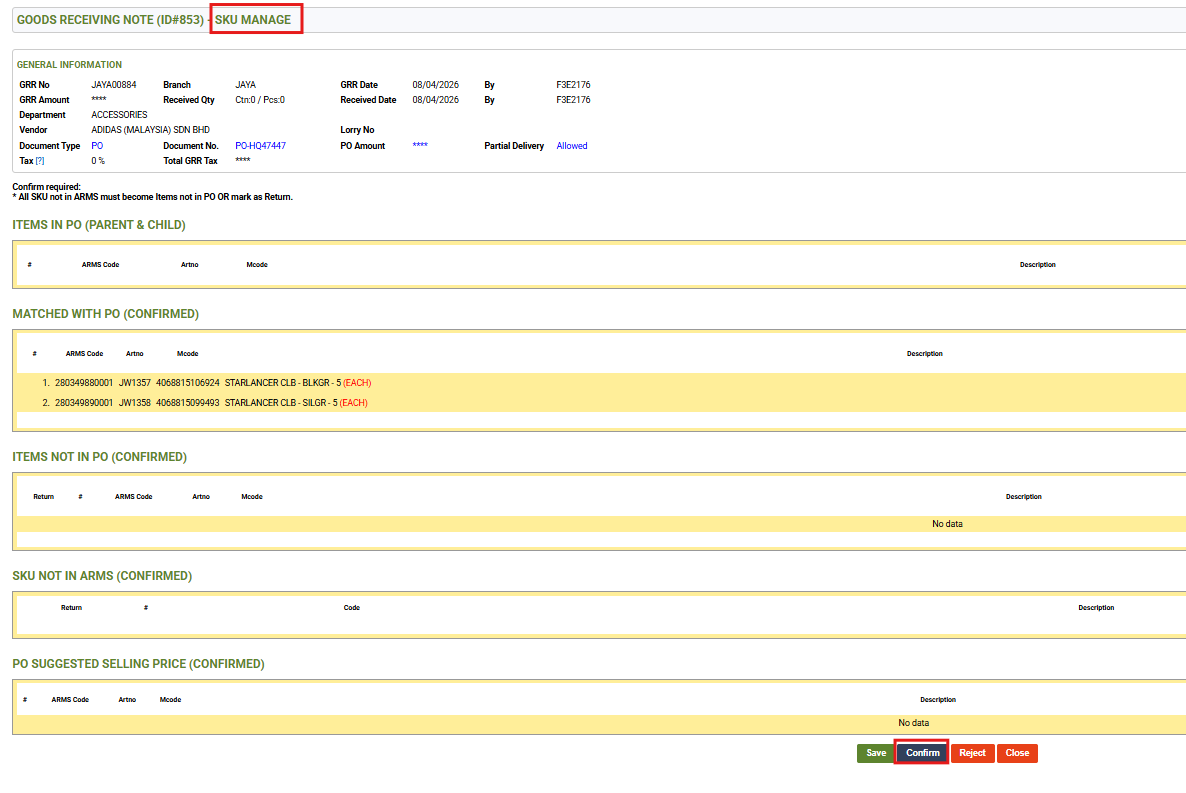
Step 11: Click Confirm
end