
Delivery Order Transfer is the process of moving goods from one location to another while ensuring proper documentation and tracking.
All Delivery Order transfers require AM approval before processing. Staff are responsible to check the items and verify the quantity before submitting for DO approval.
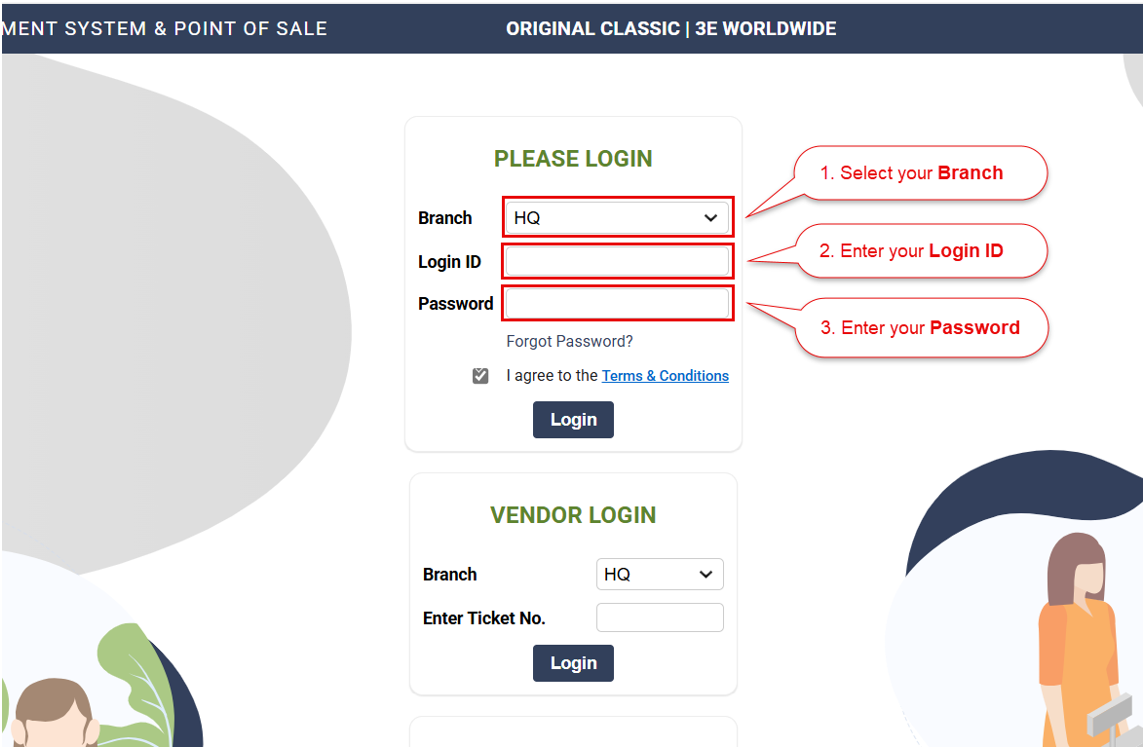
1. Login into the ARMS backend portal (https://pos.ocsports.com.my)
> Select Branch > Enter Login ID and Password
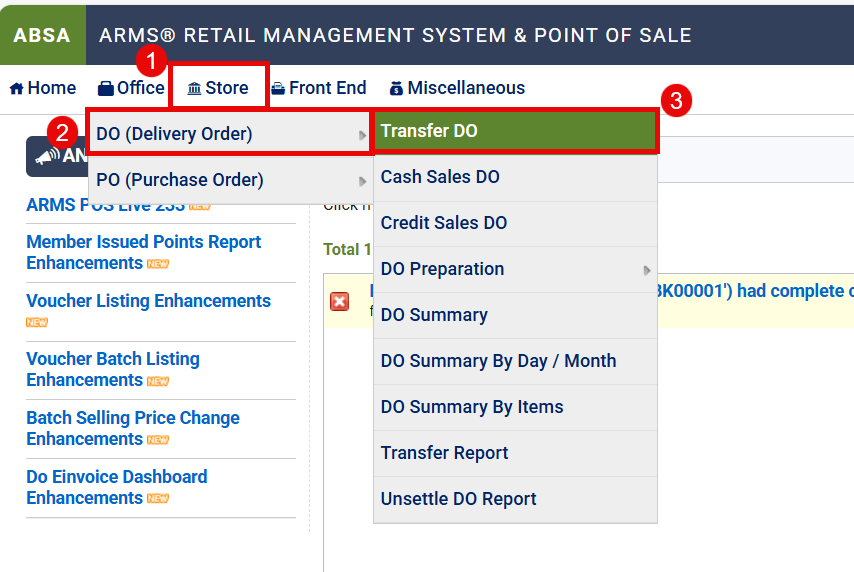
2. Then go to Office > DO (Delivery Order) > Transfer DO
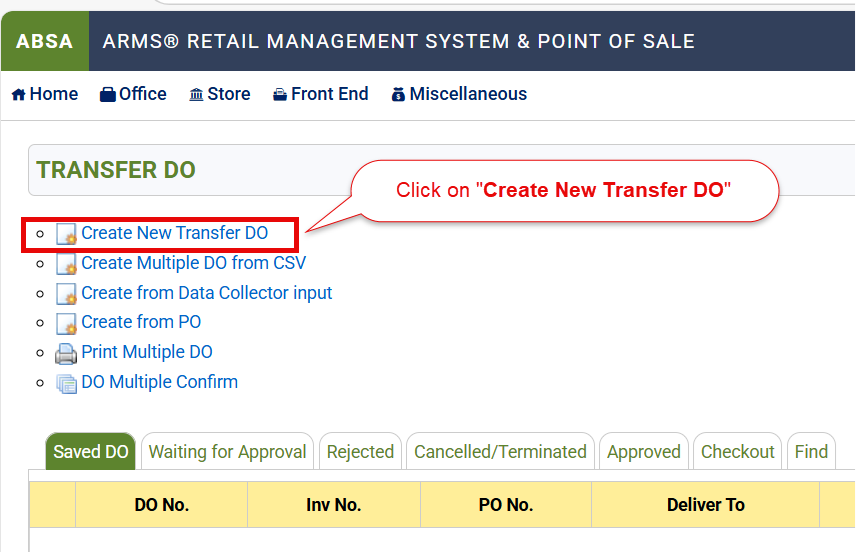
3. Create New Transfer DO
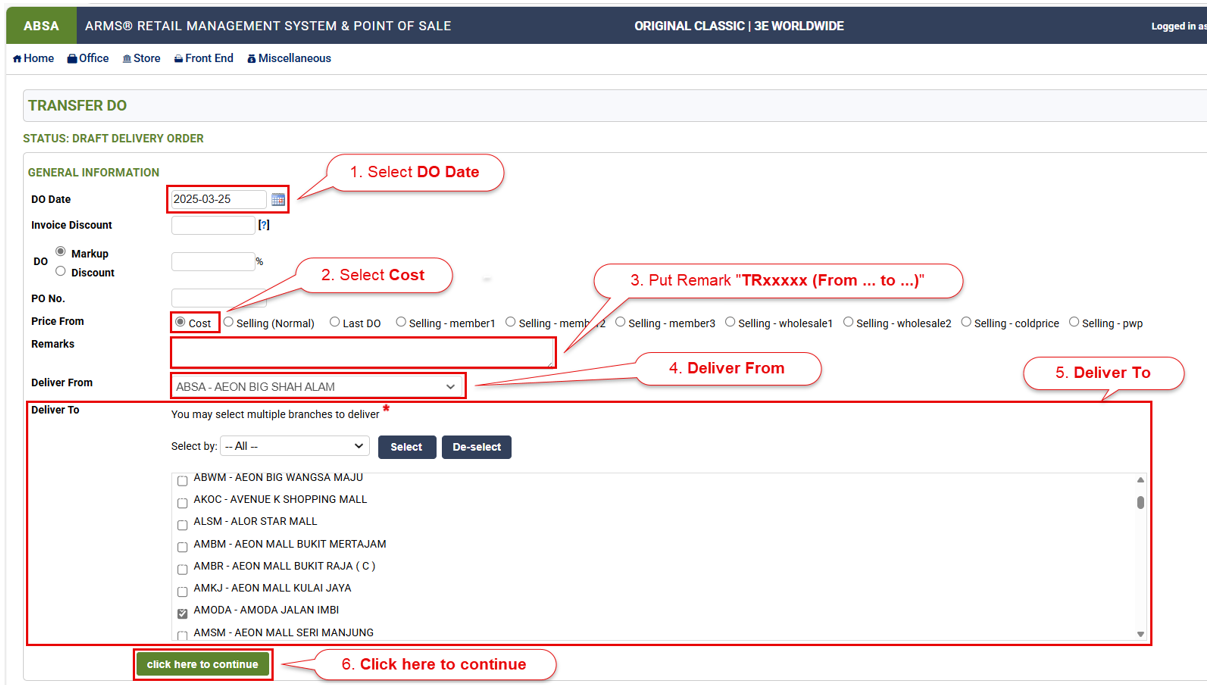
4. Fill in accordingly
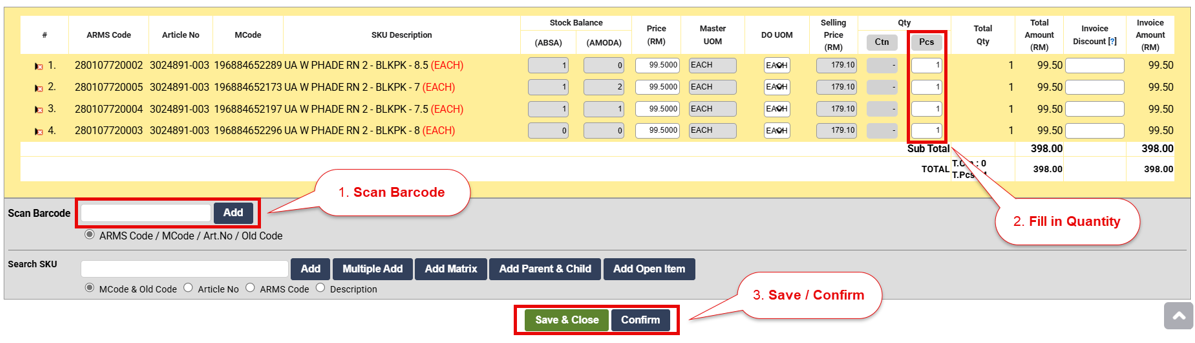
5. Scan Barcode and fill in quantity
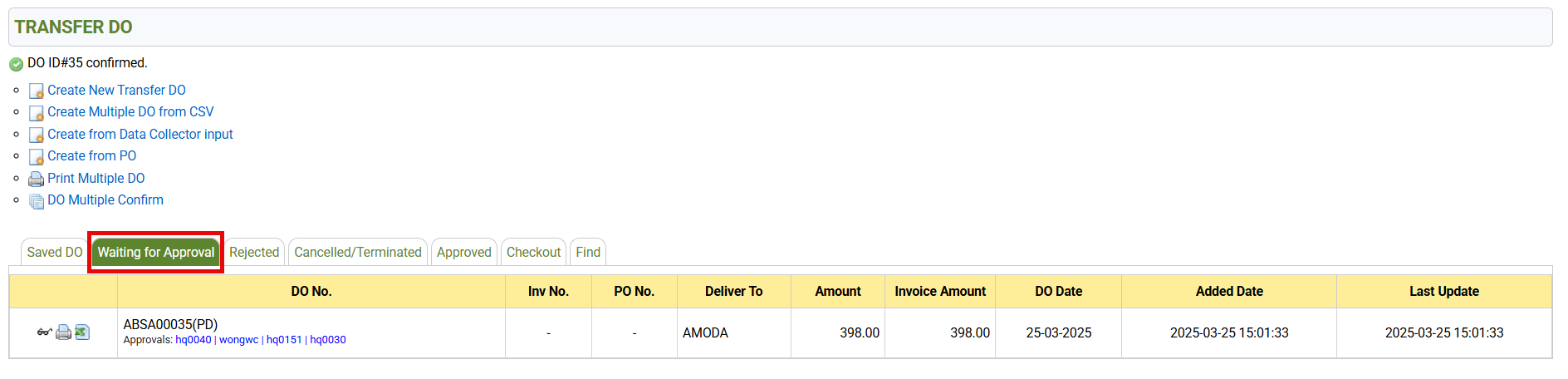
6. After submitting the DO, you can find it under the ‘Waiting for Approval‘ tab
end