
Note: This process is only applicable when a scanned item returns an invalid SKU, and the customer is waiting to proceed with payment.
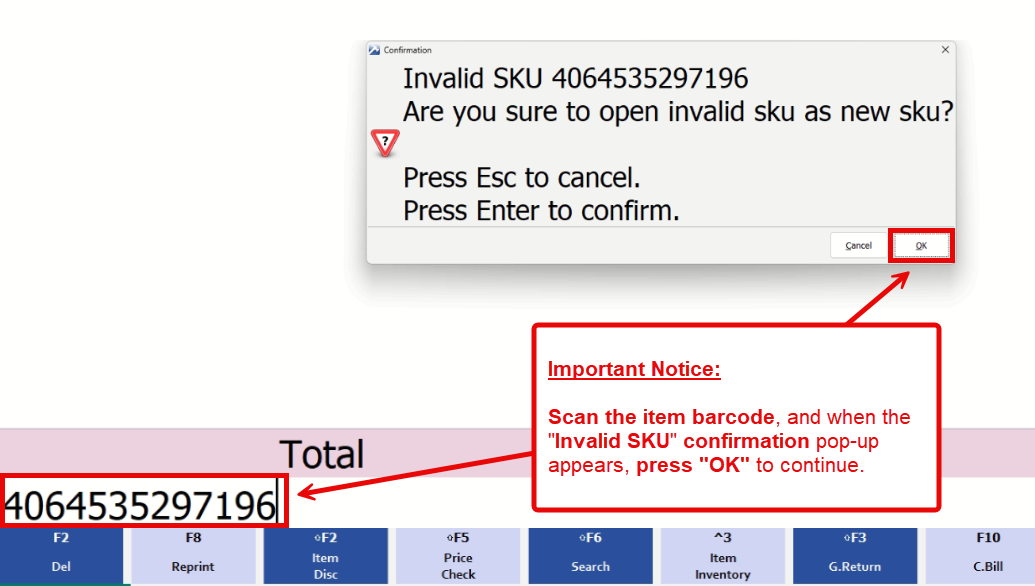
1. Scan the item barcode, and when the “Invalid SKU” confirmation pop-up appears, press “OK” to continue.
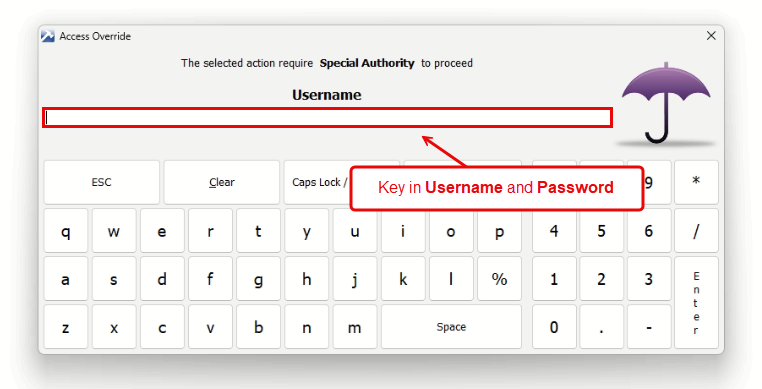
2. Key in Username and Password
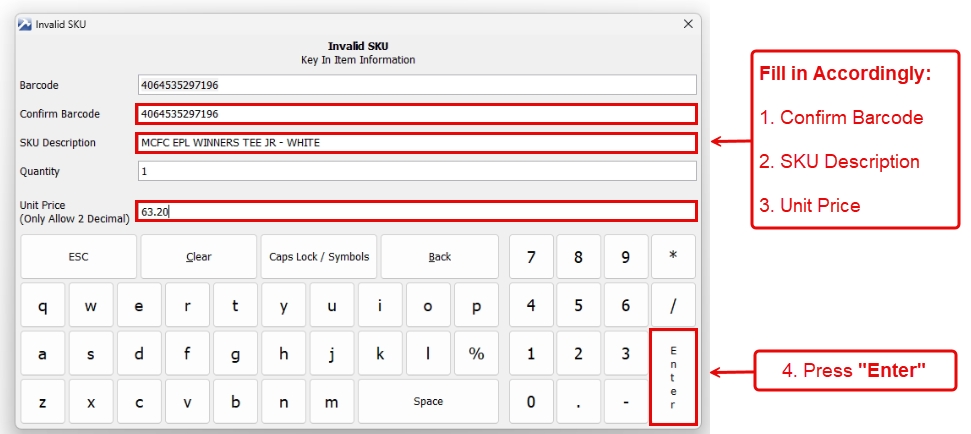
3. Fill in accordingly, then press “Enter” to create temporary SKU
– Confirm Barcode
– SKU Description
– Unit Price
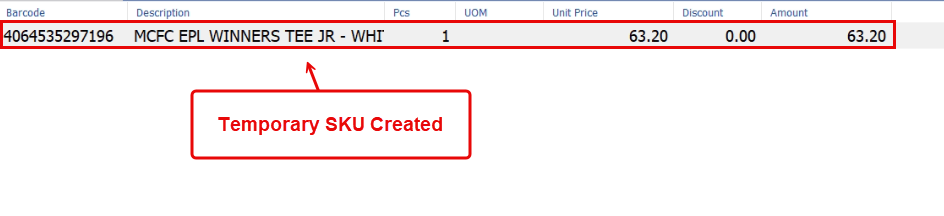
4. The temporary SKU will be created and automatically added to the transaction
end