
Notes:
- The Cancel Bill function is only available for authorized staff (Person In Charge).
- Always double-check the Invoice No before cancelling.
- Once cancelled, the bill cannot be recovered.
- A cancellation slip will be printed for reference.
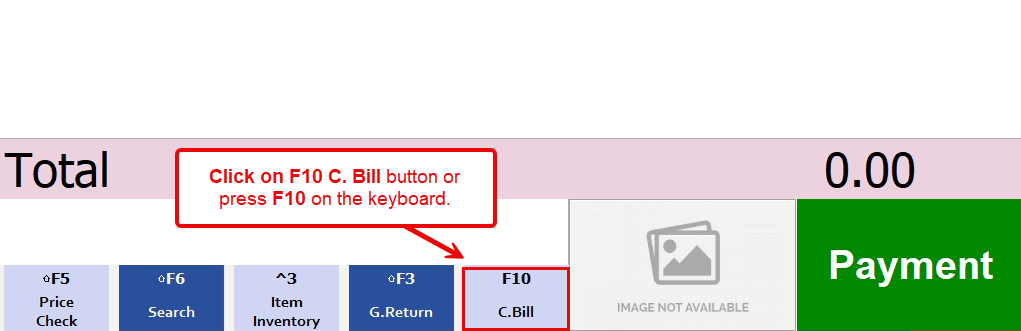
1. Click on F10 C. Bill button or press F10 on the keyboard.
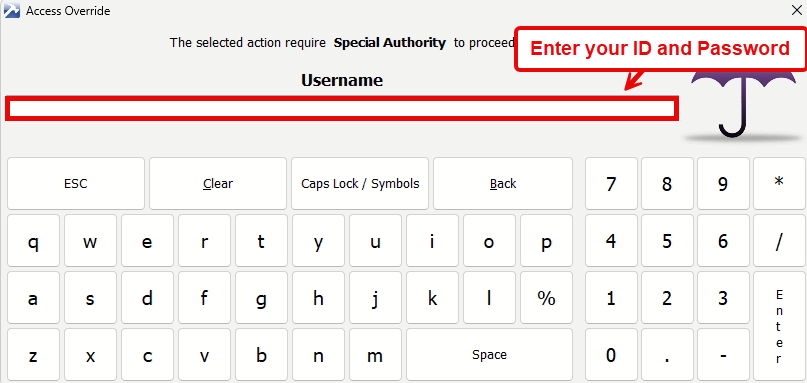
2. Enter your ID and Password for verification.
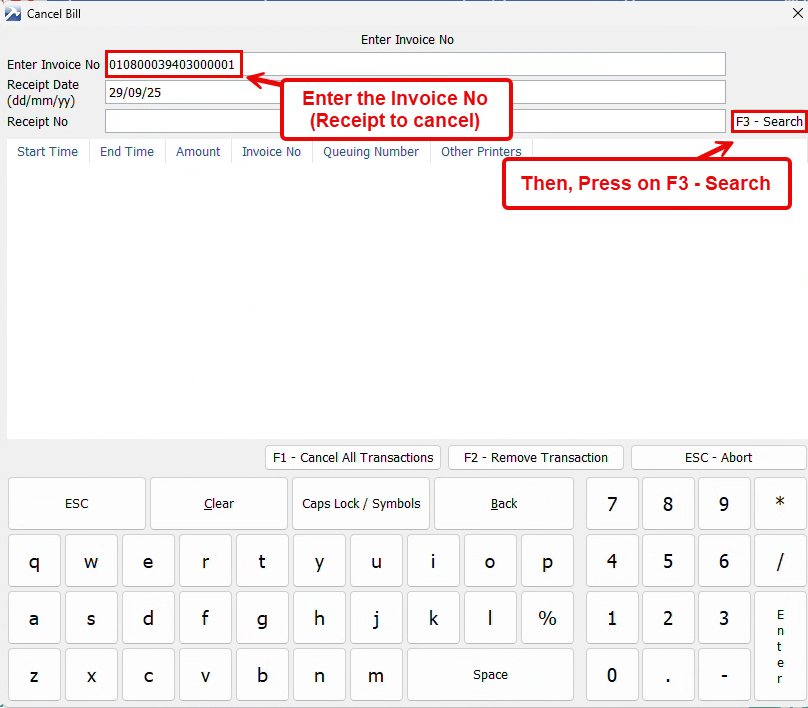
3. Enter the Invoice No (Receipt to cancel) and then press on F3 – Search.
4. Click OK to confirm.

5. Press on F1 – Cancel All Transactions.
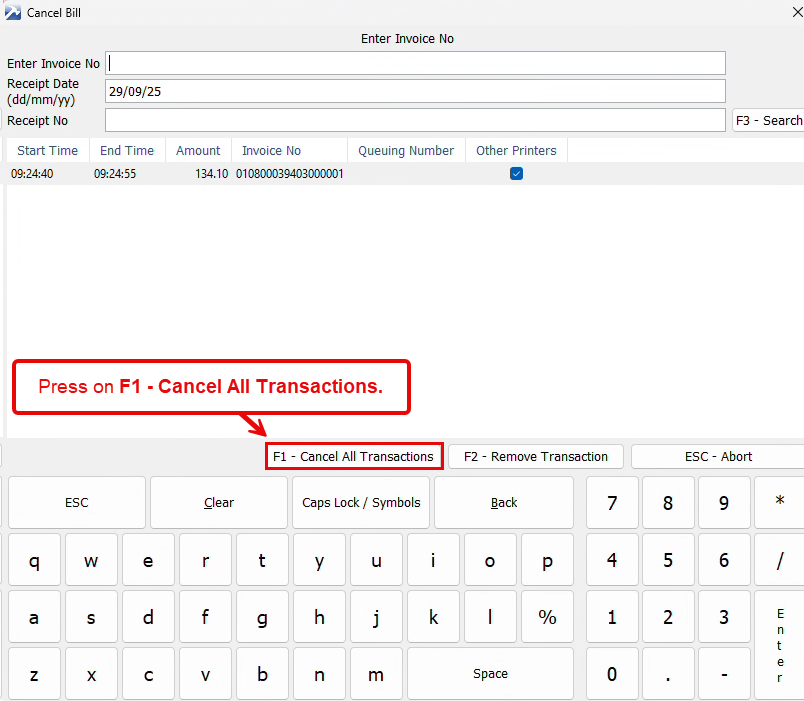
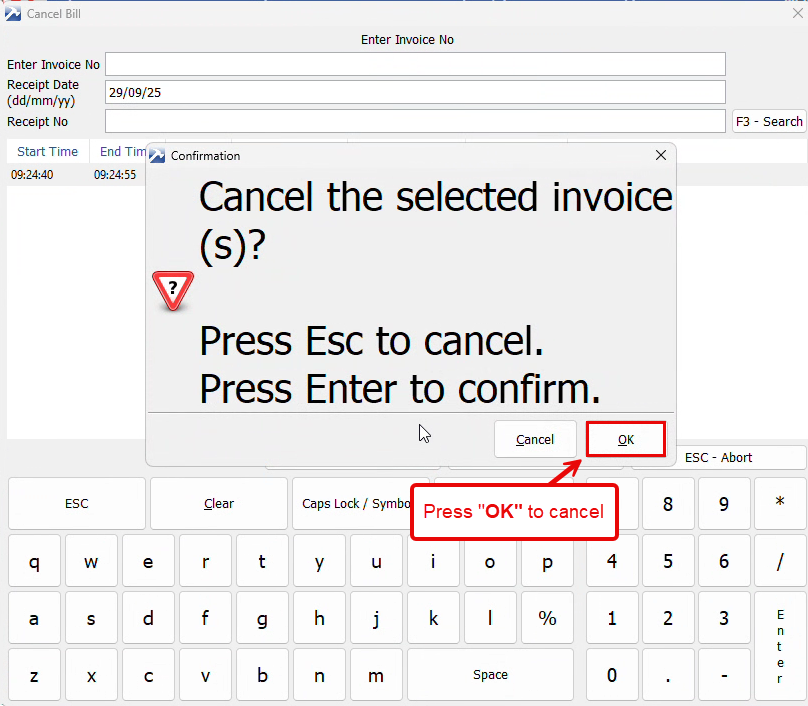
6. Press OK to cancel the transaction.
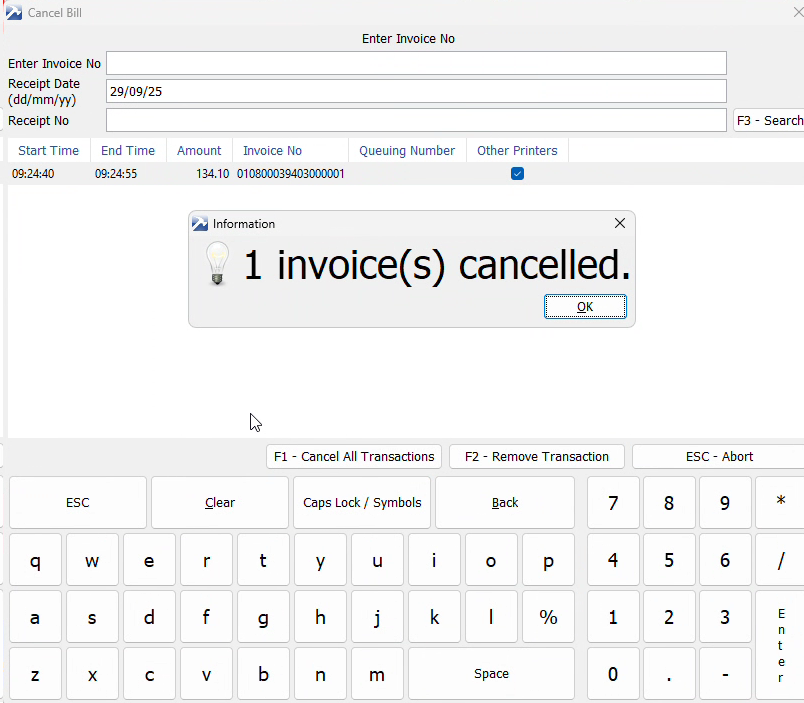
7. The Invoice/bill has been cancelled.
end